
From the new Steam Controller to the DualSense, these are the best Steam Deck controllers for docked play, couch co-op, and long sessions.
From the new Steam Controller to the DualSense, these are the best Steam Deck controllers for docked play, couch co-op, and long sessions.
The Steam Deck is an amazing piece of tech. For those who are unaware, it’s essentially a miniature version of a gaming PC that fits in your hands. For serious gamers, the biggest question isn't whether or not they want to get their hands on a steam deck -- it's which Steam Deck to get.
But let’s be honest, as comfy as it is for quick gaming sessions, those built-in controls can start to feel a little cramped after a few hours. Which some days, barely scratches the surface on a gaming session. Whether you’re docked to your TV or a monitor, playing co-op, or just want a more traditional controller experience, having the right gamepad can make your Deck feel less like a handheld and more like a console powerhouse.
Let’s dive into the best controllers for the Steam Deck. Whether you’re a casual adventurer, an eSports wannabe, or just someone whose hands are tired of doing finger gymnastics—this article is for you!
Before we start tossing controllers into our shopping cart like candy, let’s cover the basics as it’s very important to know that the product we’re interested in covers all the bases that should be covered for a compatible Steam Deck controller:
Now that we know what to look for, here’s our list of the best Steam Deck controllers:

Price: ~ $69.99
The 8BitDo Pro 3 is, simply put, the Swiss Army knife of controllers. It’s comfy, customizable, and works with almost everything, including your Steam Deck, Switch, PC, and even your phone. A simple flick of a toggle switches it between devices (no app gymnastics required), and it’s one of only a handful of 8BitDo controllers with full official Steam Deck support.
It builds on the much-loved Pro 2 with TMR joysticks that resist stick drift, trigger locks, extra back buttons, and gyro aiming that works right in Steam Input. It even comes with a charging dock that doubles as a home for its 2.4GHz adapter, so it’s always topped up and ready to go.
The ability to remap buttons and tweak sensitivity means you can truly make it your own. One point of contention for some players is that it’s on the smaller side, so players with larger hands should keep that in mind.
Price: ~ $73.99
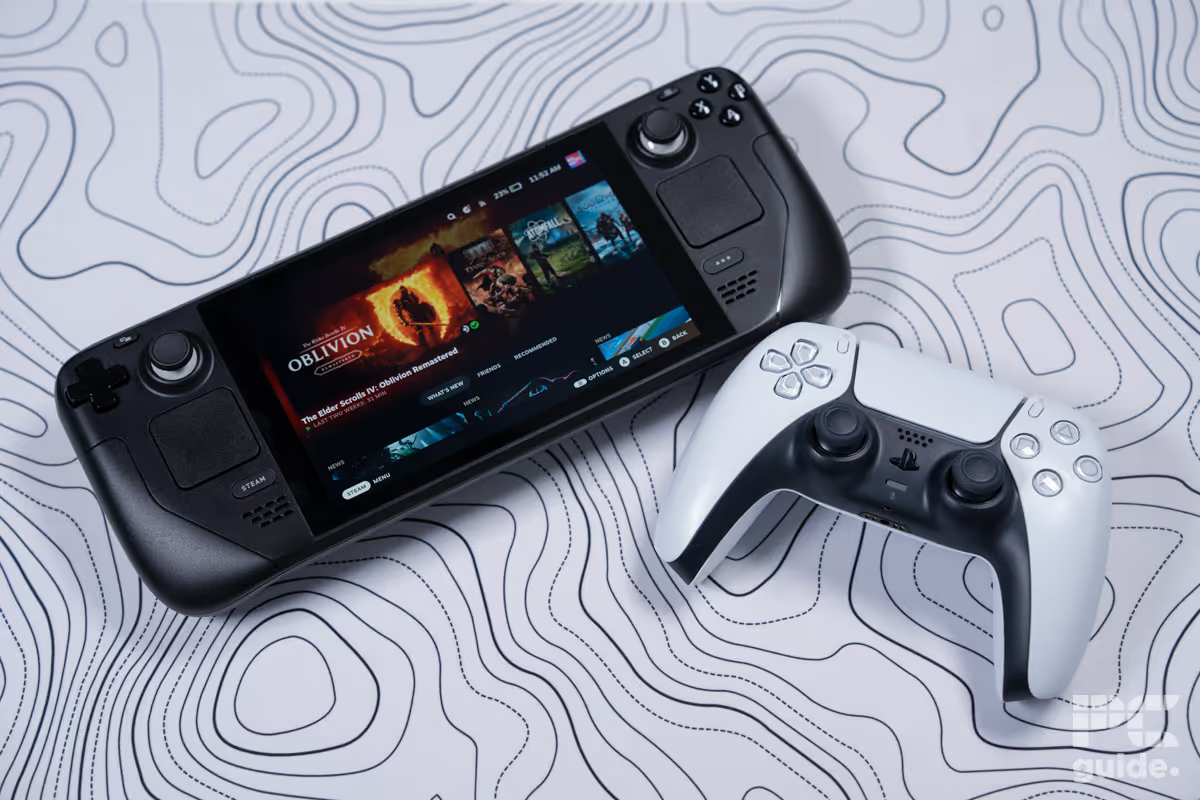
If controllers had a “most stylish” award, the DualSense would likely walk away with it. Sony’s PS5 pad brings buttery-smooth triggers, responsive buttons, and a supremely comfy ergonomic grip that feels perfect, especially for those long gaming sessions.
When paired with the Steam Deck via Bluetooth, you get gyro support and precise controls. Unfortunately the more advanced features like adaptive triggers and haptics aren’t fully supported on SteamOS yet. But that’s hardly a dealbreaker—this controller still feels incredible for story-driven games or action titles that benefit from smooth motion aiming. There’s a reason this controller is so popular in the gaming community, because it’s a quality option that just seems to do everything right. It’s the gold-standard of basic gamepad controllers, and for the Playstation fans…this one will feel like home.

Price: ~$99
Valve’s new Steam Controller arrived in May 2026, and it’s the closest thing you’ll get to holding a Steam Deck without the screen. The layout mirrors the Deck’s own controls, trackpads included, so controller setups made for the Deck work on it too. That makes it a natural match if you dock your Deck and want the same feel from the couch.
It also doubles as a mouse replacement for games built around keyboard and mouse, which is something most gamepads can’t do well. The catch is the price: $99 puts it above budget pads with similar specs, and you’ll have to order it through Steam. But if you already love the Deck’s controls, this is the one that feels like home.
Price: ~ $199.00
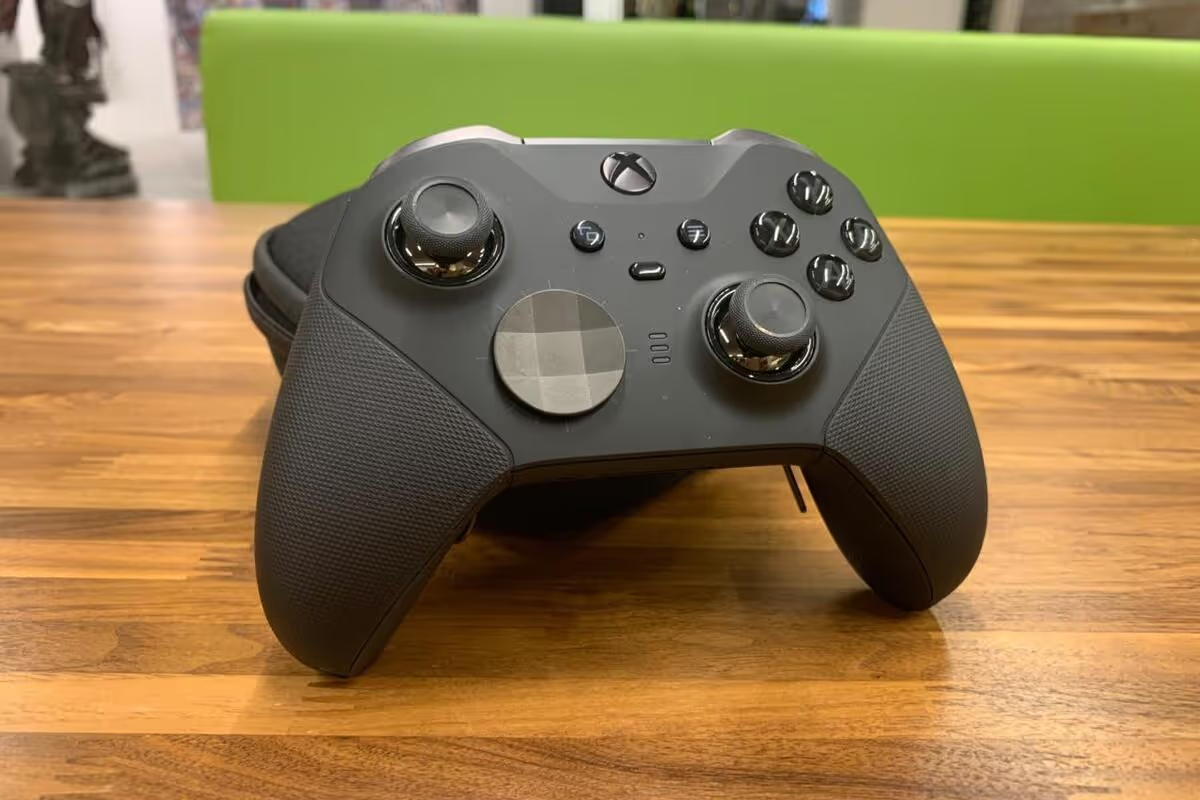
Microsoft's Xbox Elite Series 2 Controller is an absolute beast of a controller as it has so much to offer its users. Its primary selling point, aside from the Xbox reputation that is vastly familiar to gamers and non-gamers alike, is the fact that it has interchangeable components. This is a luxury controller because not only are you able to toggle the height of the thumbsticks and directional buttons, but it also features adjustable trigger locks, as well as four customizable paddles…it’s essentially the Rolls Royce of controllers.
It comes with a Rolls Royce adjacent price tag for this reason and is the most expensive option on this list. It is a very solid option for those looking to splurge on a controller and perhaps who are familiar with the Xbox controller layout.
Price: ~ $75.00
With a very similar layout to the Xbox controller, and a more affordable price tag attached to it. This is a great option for players who are familiar with the ergonomic, offset joystick layout and for players who are simply looking for a quality controller to pair with their Steam Deck. The primary selling point for this option is its impressive battery life with an estimated 40 hours per charge!
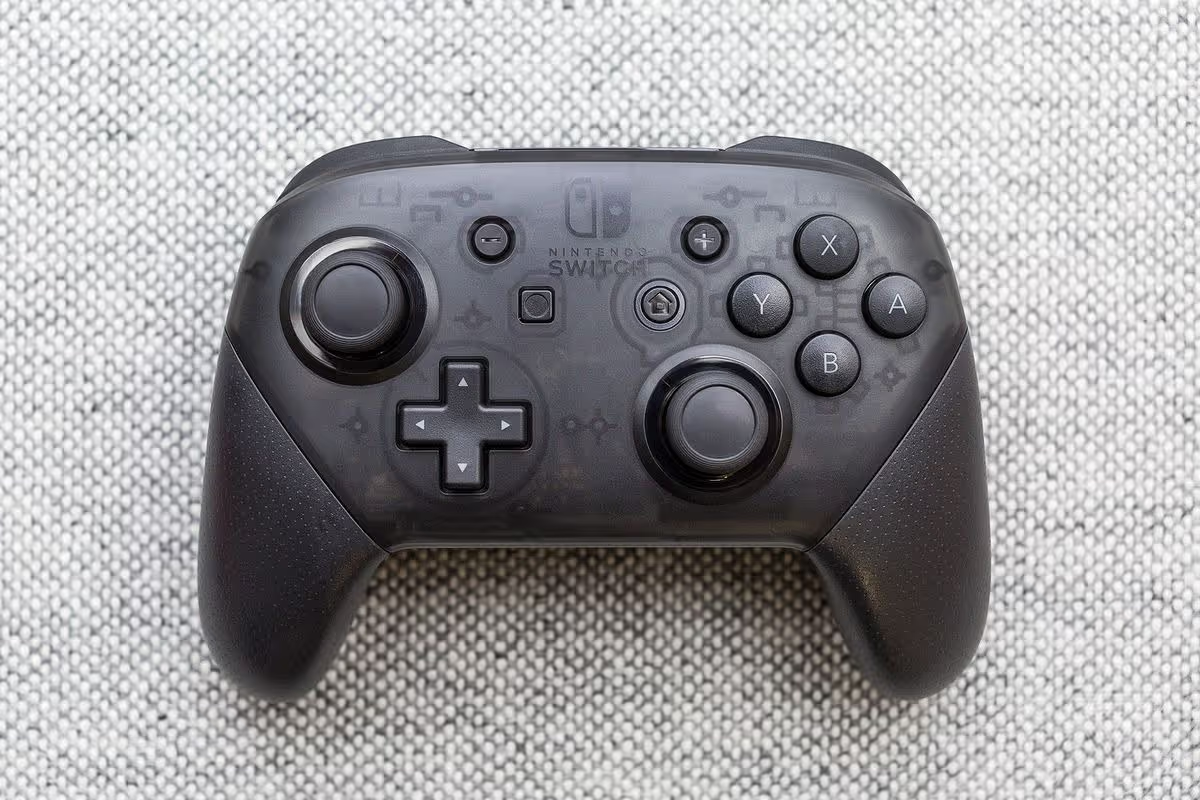
Although the Nintendo Switch Pro Controller works best on a Switch, Steam Deck users who like the Switch controller's layout will find it to be a great companion. Compared to other Sony and Microsoft pro controllers, this one is more reasonably priced. While it’s not as customizable as other options it still leads the pack with an outstanding battery life and offers solid performance, and build quality that can make gamers feel like experts.
You’ve picked your controller—now let’s make sure everything runs smoothly.
Ultimately, what really matters is how your gaming experience feels. The Steam Deck already delivers incredible versatility, but pairing it with the right controller can take things to another level—making every movement, combo, and headshot feel that much easier. The key is finding what feels natural in your hands and enhances the way you play. Because when comfort meets control, every game becomes that much more satisfying.
Main image courtesy of 8BitDo.com
Originally published 11/19/25. Last updated 10/16/26.


